Time of day
Jump to navigation
Jump to search
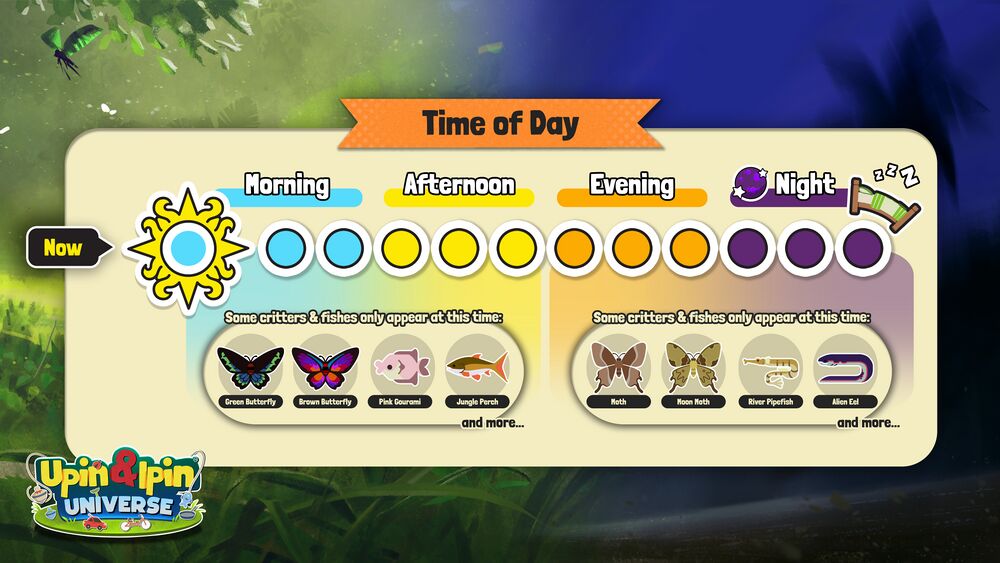
Time progression is displayed at the top right of the screen; The coloured circle with a patterned border around it being the current time of day.
Manage Your Time
Time will progress every few minutes; completing an activity, such as cooking a dish or finishing an RC Race, also progresses the time forward by one slot. You can do anything you'd like within these 12 time slots.
